Give your agent a whole team’s playbook.
126 editable instruction files for your AI. For design, code and business tasks in Codex, Claude Code and more.
One payment · Unlimited projectsIllustrative examples.
Try the working examples
Morrow
Fictional accounts and billing exports.
Business workbench
Case drafts and exportable briefs.
Explore example tasks
Pick a task.
Each comes with instructions your agent can follow.
Make a form easier to use.
Ask your agent to make errors clear, keep what people typed and let them fill the form without a mouse.
Browse 126 skills
Product strategy
Product acceptance contract
Translate a product brief into observable acceptance examples and resolve ambiguity before implementation or release review.
Product discovery synthesis
Turn existing customer interviews, support evidence, and usage observations into a traceable product problem decision.
Feedback to backlog
Turn a batch of product feedback into deduplicated, evidence-linked backlog changes and customer response drafts.
Product launch readiness
Assess a specific product release and produce a release decision, owner actions, and customer-facing readiness artifacts.
Opportunity prioritization
Rank competing product opportunities using comparable evidence, explicit constraints, and sensitivity to uncertain estimates.
Release scope cutter
Convert a feature request or oversized roadmap item into a bounded release specification with explicit tradeoffs.
Design engineering
Make the complete interaction work
Finish the behavior of an existing interface: state transitions, feedback, focus, dense work, and motion. Use after the main task and visual direction are established.
Make interactions interruptible
Use when animations jump, queue, finish in the wrong state, or fight rapid repeated input.
Polish a finished interface
Use when a working interface needs a focused visual polish pass without changing its product scope.
Build useful action feedback
Use when buttons, toggles, saves, or optimistic actions feel unresponsive or give ambiguous completion feedback.
Design purposeful motion
Use when adding or tuning UI animation that explains a state change, spatial relationship, or direct interaction.
Compose responsive interfaces
Use when adapting a desktop composition to smaller screens or fixing layouts that collapse under real content.
Backend & APIs
API contracts
Design or revise an HTTP API contract when request semantics, errors, pagination, or client compatibility need concrete decisions.
Background jobs
Build or debug asynchronous jobs when retries, cancellation, scheduling, worker crashes, or progress reporting affect user-visible behavior.
Idempotent writes
Implement or repair retryable server writes, webhook ingestion, and duplicate suppression where repeated requests could create duplicate effects.
Performance diagnosis
Investigate slow endpoints or expensive server workloads and implement measured improvements using representative workloads.
Schema migrations
Plan or implement database schema and data migrations that must coexist with running application versions and preserve existing records.
Service observability
Add or improve service logs, metrics, traces, and alerts for a concrete operational question or production failure mode.
Quality & testing
Browser journey tests
Create or repair browser tests for user journeys where accessible interaction, navigation, state, and rendering must work together.
Integration contract tests
Verify behavior across database, API, queue, or service boundaries where isolated mocks can miss serialization and persistence failures.
Regression triage
Diagnose a newly failing test or user-visible regression and isolate whether the change, environment, or test caused it.
Test fixture design
Design reusable deterministic fixtures that expose meaningful states without coupling tests to incidental data or leaking real customer information.
Test risk plan
Choose focused verification for a proposed change based on affected behavior, failure impact, and existing coverage.
Unit test boundaries
Write or refactor focused unit tests for deterministic logic while avoiding brittle implementation coupling and excessive mocking.
Brand & direction
Review brand consistency in context
Use when auditing a defined set of brand surfaces for conflicting identity, voice, or product claims.
Ground brand positioning
Use when clarifying what a brand stands for, whom it serves, and why buyers should choose it over a concrete alternative.
Build a voice guide from evidence
Build and test writing guidance from a person's approved samples. Use when tone adjectives or generic presets fail to reproduce their actual editorial choices.
Package an identity for use
Use when preparing approved logos, colors, typography, and usage rules for a practical brand handoff.
Build a reasoned naming shortlist
Use when generating and evaluating names for a product, feature, or brand against a specific brief.
Design with a visible point of view
Create a distinctive interface through current professional references, ambitious composition studies and visual comparison. Use for new websites, product UI or rejected designs; preserve approved direction for maintenance.
Growth & experiments
Activation diagnosis
Find the first meaningful value milestone and diagnose activation losses from event data and user evidence.
Experiment validity and readout
Evaluate an A/B experiment and produce a valid result interpretation, decision, and reproducible analysis artifact.
Lifecycle message builder
Create behavior-triggered onboarding, recovery, or retention messages with explicit eligibility and suppression rules.
Onboarding repair
Repair a specific onboarding flow so a new user can complete a meaningful first task with less avoidable friction.
Referral flow design
Build a referral or invitation flow around a real shared-use benefit with clear reward economics and abuse boundaries.
Retention cohort analysis
Build comparable retention cohorts and identify a specific repeat-value problem with an actionable intervention.
Community & partnerships
Community feedback synthesis
Turn community discussions into a traceable feedback digest and completed responses without overstating representativeness.
Community health review
Analyze community participation and moderation evidence to improve useful member activity and operating sustainability.
Community launch builder
Create the finished operating and welcome assets for a focused new customer or practitioner community.
Community event production
Build and operate a specific community event with finished participant communications, a run of show, and recovery options.
Community moderation case
Apply an existing community policy to a reported incident and produce a proportionate case record and response.
Community partnership proposal
Create a scoped partnership proposal with a real member benefit, balanced responsibilities, and usable outreach artifacts.
Accessibility
Repair contrast and reflow
Use when interface content is difficult to read, distinguish, or operate under zoom, color changes, or narrow layouts.
Make form errors recoverable
Use when designing or fixing labels, validation, error summaries, and recovery in a form.
Repair keyboard paths
Use when a web task cannot be completed by keyboard or focus disappears, skips controls, or becomes trapped.
Build a modal contract
Use when implementing or repairing modal dialogs, command dialogs, or confirmation overlays on the web.
Run a scoped accessibility audit
Use when asked to audit a defined web flow or release for accessibility and produce actionable evidence.
Announce asynchronous changes
Use when search results, saves, background operations, or toasts need useful screen-reader announcements.
3D & creative coding
Build a Three.js material study
Use when creating an interactive web study of a material or object with controllable appearance and a static alternative.
Set a web scene budget
Use when a Three.js scene loads slowly, drains resources, or needs a practical performance budget for target devices.
Connect 3D scenes to usable controls
Use when adding picking, object selection, rotation, or parameter controls to a web 3D scene.
Repair Three.js lifecycle leaks
Use when scenes accumulate memory, duplicate render loops, or fail after remounting, navigation, or context loss.
Light a readable product scene
Use when a web 3D object looks flat, muddy, clipped, or materially implausible and needs a controlled studio lighting pass.
Design a useful WebGL fallback
Use when a canvas experience must remain understandable if WebGL, JavaScript, assets, or motion are unavailable.
Data & analytics
Cohort analysis
Build retention, conversion, or expansion cohort analyses with consistent entry rules and observation windows.
Demo business data
Create coherent fictional business datasets and matching sample content for demos, prototypes, onboarding, or portfolio work.
Event taxonomy
Design or revise product analytics events when teams need consistent instrumentation for journeys, activation, and adoption.
Metric contracts
Define or repair business metrics when dashboards disagree about revenue, activation, conversion, retention, or their denominators.
Pipeline quality
Add data pipeline validation or diagnose unreliable imports, transformations, and published datasets.
SQL analysis
Answer a business question with SQL while controlling join multiplicity, null semantics, grain, and reconciliation.
Security & privacy
Abuse controls
Design or implement defensive quotas, rate limits, and resource bounds for a specified expensive or abuse-prone product operation.
Authorization review
Review or repair access control for tenant resources, object operations, and privileged fields in an application the user is authorized to assess.
Data privacy map
Map personal or sensitive data flows for a specified product feature and implement scoped minimization, retention, or deletion controls.
Dependency review
Assess and remediate a concrete dependency advisory or requested package risk using the actual lockfile, reachable code, and primary advisory evidence.
Secret handling
Repair application or delivery secret handling, redaction, and rotation workflows for known credentials within an authorized environment.
Threat model
Assess defensive threats for a specified feature or architecture and turn plausible abuse paths into scoped engineering changes.
Writing & documentation
Review claims against evidence
Use when checking a draft for unsupported numbers, causal claims, quotations, comparisons, or implied endorsements.
Edit without erasing the writer
Revise existing prose while preserving its facts, uncertainty, authorial stance, and observable voice. Use for editing a supplied draft, not inventing a new brand personality.
Write an evidence-grounded case study
Use when turning project notes, interviews, or results into a customer or portfolio case study without inflating outcomes.
Write a tested technical task guide
Use when documenting a concrete setup, integration, command-line task, or troubleshooting procedure that readers should be able to execute.
Write release notes people can use
Use when converting merged changes into release notes that explain observable behavior, migration needs, and known limitations.
Write interface copy for real states
Use when writing labels, helper text, empty states, errors, confirmations, or other copy inside an interactive product.
Sales & pricing
Buyer follow-up drafting
Write a relevant follow-up to an existing sales conversation using the buyer’s context and a useful next action.
Sales to success handoff
Convert a closed or closing opportunity into an implementation-ready customer handoff with promises, owners, and verified context.
Sales discovery synthesis
Turn authorized sales notes and account evidence into a qualified opportunity brief and concrete next-step draft.
Sales pipeline repair
Reconcile a CRM export into evidence-based stages, realistic next actions, and an auditable forecast view.
Pricing option analysis
Evaluate packaging, discounts, or a specific quote using unit economics, customer evidence, and explicit commercial constraints.
Sales proposal builder
Create a buyer-specific commercial proposal from verified scope, pricing, delivery constraints, and discovery evidence.
Company operations
Cash and runway scenarios
Build a cash-timing forecast and scenario comparison from supplied balances, expected receipts, and payment obligations.
Decision record and handoff
Turn a consequential operating decision or ownership transfer into a completed, evidence-linked record that another person can act on.
Employee onboarding execution
Prepare a role-specific employee onboarding package and complete authorized setup and handoff work.
Job-related hiring scorecard
Create a role-specific hiring brief, structured evaluation rubric, and realistic work sample based on actual job requirements.
Objective to operating work
Translate a company objective into a feasible operating commitment and complete the first concrete work artifacts.
Vendor decision package
Compare vendors for a specific business need and produce an evidence-backed selection record and usable evaluation artifacts.
Design systems
Write component contracts
Use when turning a repeated UI pattern into a reusable component or clarifying an unstable component API.
Create a coherent icon contract
Use when adding or repairing interface icons within an existing icon family or establishing an SVG icon system.
Build responsive typography
Use when defining or repairing a web type scale, font loading, long-form reading, or dense interface typography.
Design semantic tokens
Use when extracting repeated design values into tokens or restructuring a token system for themes and components.
Resolve design-system divergence
Use when teams have duplicated components, conflicting tokens, or uncertain ownership and need a practical consolidation plan.
Roll out interface themes
Use when introducing dark mode, an alternate theme, or a theme migration across an existing interface.
Frontend engineering
Build resilient asynchronous UI
Use when a frontend fetch, mutation, search, or save needs explicit loading, empty, error, and stale-result behavior.
Implement reliable form submission
Use when wiring a web form to an API while preserving drafts, preventing accidental duplicates, and handling server validation.
Diagnose frontend performance
Use when investigating slow page rendering or interaction and implementing a measured frontend improvement.
Build a progressive enhancement boundary
Use when a web page or control needs a useful baseline before JavaScript or optional capabilities load.
Ship responsive images and media
Use when optimizing page images or video for layout stability, loading behavior, and appropriate image selection.
Make view state shareable
Use when filters, sorting, tabs, or pagination should survive reloads, sharing, and browser navigation.
AI engineering
Agent tool contracts
Design or repair tools exposed to a model when argument validation, side effects, authorization, retries, or result interpretation need clear boundaries.
AI cost and latency
Measure and improve AI feature cost or response time without inventing provider prices or sacrificing required quality.
AI evaluations
Create or improve an evaluation harness for model output, prompts, retrieval, or agent behavior using representative cases and defensible scoring.
AI feature design
Design or implement a bounded AI product feature with explicit user value, failure behavior, and measurable acceptance criteria.
Retrieval design
Build or diagnose retrieval for grounded answers over a known document corpus, including chunking, filtering, citations, and freshness.
Structured AI output
Implement or debug model-generated JSON and typed artifacts that must satisfy a downstream application contract.
Delivery & reliability
CI workflows
Build or repair continuous integration checks that reliably validate the repository while respecting dependency, caching, and workflow trust boundaries.
Deployment verification
Verify that a deployed artifact is the intended revision and that its critical user behavior works in the target environment.
Engineering handoff
Prepare a concise engineering handoff for completed or interrupted work so another person can operate, review, or continue it accurately.
Incident response
Investigate and stabilize an active service incident using available evidence, bounded mitigations, and a clear operational timeline.
Release plan
Prepare a concrete release sequence for a completed change that has compatibility, migration, rollout, or coordination requirements.
Rollback and recovery
Prepare or execute recovery for a specific release when application versions, migrations, external effects, or restored data complicate reversal.
Marketing & SEO
Campaign performance readout
Analyze a completed campaign export and produce a defensible decision with corrected reporting and follow-on assets.
Marketing channel allocation
Choose a practical channel mix and build executable campaign assets using audience evidence, budget, and operating capacity.
Content repurposing
Transform an owned source article, talk, demo, or research note into finished channel-specific assets without inventing evidence.
Launch copy kit
Write a coordinated release announcement, landing copy, and promotion assets from verified product launch facts.
Evidence-backed homepage messaging
Translate approved positioning into evidence-backed product claims and complete homepage messages, then check those messages against customer understanding.
Search answer page
Create or improve a search-focused page that directly answers a documented audience task and fits an existing site.
Customer success
Customer onboarding execution
Turn a purchased customer outcome into completed onboarding artifacts, milestones, and a usable first-value path.
Customer escalation brief
Prepare a technical or commercial escalation with sufficient evidence for the receiving owner to act and a clear customer update.
Support knowledge article
Turn a resolved recurring issue into a verified, searchable help article and reusable support response.
Renewal evidence review
Prepare a customer renewal or retention recommendation from actual usage, outcomes, support history, and commercial terms.
Support resolution builder
Resolve a documented customer issue through evidence-based diagnosis and produce a tested answer with a clear recovery path.
Support ticket triage
Classify an incoming support queue by actual customer impact and produce routed records plus useful first responses.
Research & knowledge work
Decision visual
Explain a comparison, process or what-if scenario visually when seeing relationships or changing inputs helps the user decide.
Document production
Create or revise a shareable document when page layout, tables, references and the exported file must survive delivery.
Meeting decisions and actions
Turn meeting notes or a transcript into traceable decisions, assigned actions and unresolved questions without inventing agreement.
Research brief
Research a specific decision or comparison when the answer needs current sources, competing evidence and a recommendation.
Reusable workflow
Turn a repeated, demonstrated task into a focused agent skill with useful resources and checks for correct activation.
Spreadsheet model
Build or repair a workbook whose formulas, editable assumptions and totals must remain correct when inputs change.
How it works
Download Workshop
Your files arrive immediately after checkout.
Add it to a project
Choose a project folder in the included installer.
Give your AI a task
Describe what you need, or use an included example.
Workshop
$49USD · one time
Yours to edit. Use in unlimited personal and client projects.
What’s in the download?
- 126 skills across 21 areas of work
- Working examples with source files
- Six tasks to get started
- An installer and a library you can browse offline
Details
Why buy this when free skills exist?
The skills, examples and setup tools are packaged together and yours to edit. Try six full skills free before deciding.
What do I need to use it?
Your own AI coding tool, such as Codex or Claude Code. Install Workshop on a computer using Dia, Chrome or Edge. Your AI subscription is separate.
What is a skill?
An instruction file your AI reads while it works. It explains how to approach a task and check the result. You can read and edit every skill.
What’s in the free sample?
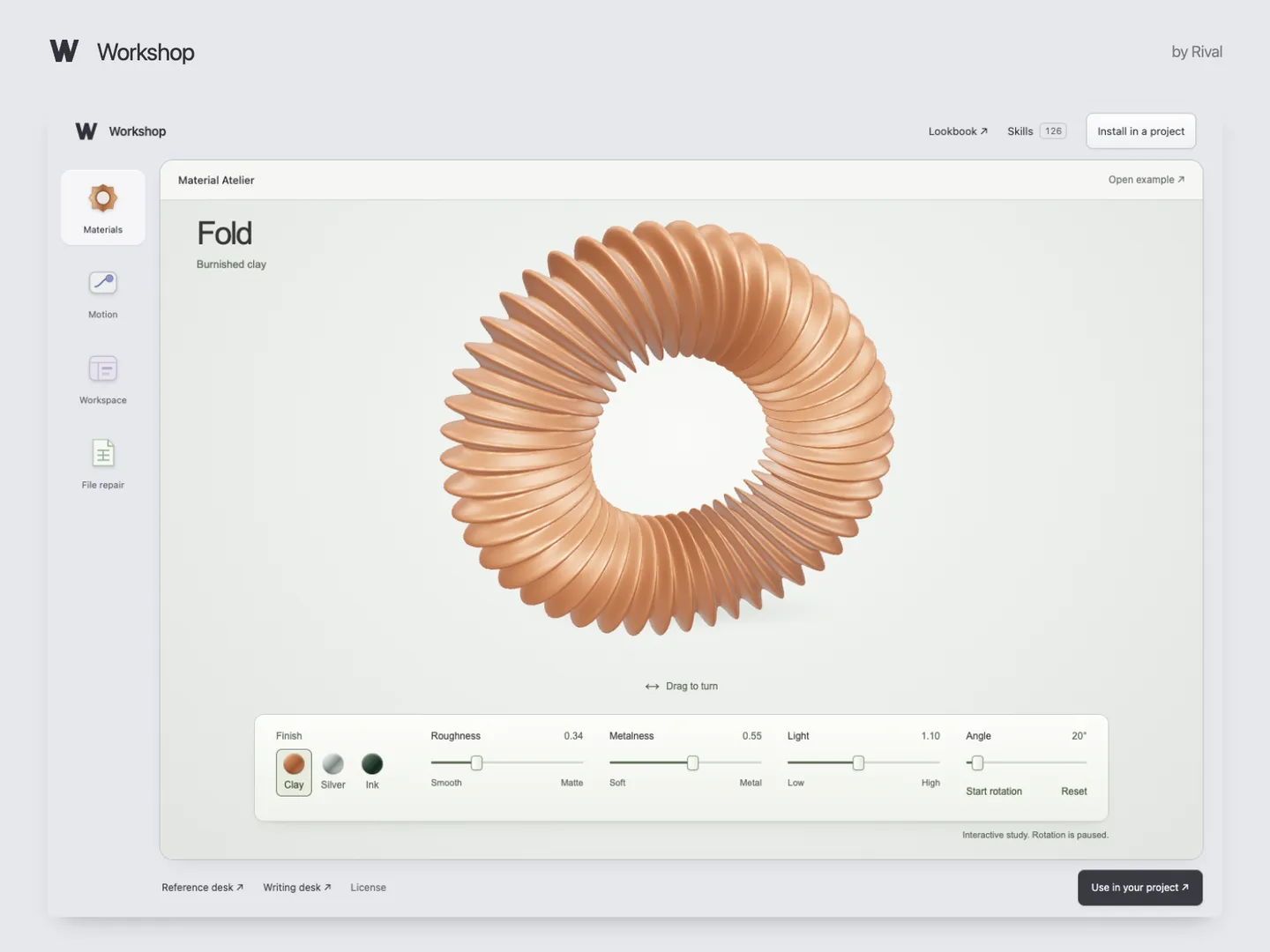
Six full skills, an installer and working examples. Try the CSV repair or 3D materials demo in your browser.
Can I use it for client work?
Yes. Use and edit the skills in unlimited personal or client projects. Collaborators on those projects can use them too. You can’t resell the download or distribute it as a competing collection.
Delivery, updates and support?
Lemon Squeezy delivers the files after checkout and by email. You get the current edition; future updates are not guaranteed. For a missing file, email support@rival.tips with your order number.